

You need time off. The reason is personal. Now you are staring at a blank email wondering how much to say, how formal to sound, and whether writing "personal reason" will get your request bounced back with a follow-up question.
Most employees over-engineer this. They either overshare details their manager never needed or write something so vague that approval stalls for a day. Both mistakes are avoidable.
This guide gives you the exact format for a leave application for office for personal reason, three copy-paste templates you can send today, and a clear rule for when to say more versus when to say nothing at all. No overthinking. Just send the email.
What a Leave Application for Office for Personal Reason Actually Needs to Include
The first decision most people get wrong is scope. They either write a paragraph of personal backstory or a two-line message that leaves the manager guessing. The fix is knowing exactly what is required and what is optional.
The five non-negotiable elements
Every approved leave application includes these five things. Nothing else is required to get a yes.
- Your full name and designation · Optional / Avoid: Medical diagnosis or test results
- Exact start and end dates · Optional / Avoid: Family drama or emotional context
- Type of leave (personal, annual) · Optional / Avoid: Lengthy apology paragraphs
- Brief reason (e.g., "personal commitments") · Optional / Avoid: Names of people involved
- Work handover or coverage plan · Optional / Avoid: Speculation about how long recovery takes
Keep it to one or two sentences per element. The goal is to give your manager enough to process the request, not enough to open a conversation about your personal life.
What you never need to explain (and why)
You are not obligated to disclose personal reasons in most workplaces. The level of detail should be enough to convey your request clearly without oversharing. "Personal commitments" is a complete and professional reason. So is "personal matter requiring my immediate attention."
Your manager needs to know you will be absent and that your work is covered. They do not need to know why you are absent. Keeping the reason short also prevents follow-up questions, because there is nothing specific to follow up on.
The Right Format: How to Structure Your Leave Application for Office for Personal Reason
Getting the structure right means your manager can read, approve, and forward your application in under 60 seconds. Here is the skeleton, broken into four parts.
Subject line formula that signals urgency without drama
Bad: "Hi, I need to take some time off soon"
Good: Leave Request: [Your Name] | [Start Date] to [End Date]
The subject line should contain three things: the word "leave," your name, and the dates. That is it. Your manager sees 40 emails before lunch. Make yours scannable in two seconds.
Opening line: state the ask in sentence one
Bad: "I hope this email finds you well. I wanted to reach out regarding..."
Good: "I am writing to request personal leave from [start date] to [end date], totalling [X] working days."
Lead with the request. The context comes after. One research finding backs this directly: writing "next few days" or "for some time" forces your manager to reply asking for clarity, which delays approval. Specific dates in sentence one eliminate that loop entirely.
Middle paragraph: work handover in two sentences
Bad: "I'll try to wrap things up before I go."
Good: "I have completed [task/project] and briefed [Colleague's Name] on any pending items. I will be reachable via email for urgent matters."
Two sentences. One tells them what is covered. One tells them how to reach you in an emergency. That is all the reassurance a manager needs.
Closing: the one line that speeds up approval
Bad: "I hope this is okay and sorry for any trouble."
Good: "Please let me know if you need any further information to process this request."
This closes the loop without being apologetic. It signals confidence, not guilt. Apologetic closings make managers second-guess whether the request is legitimate.
3 Copy-Paste Leave Application Templates for Personal Reasons
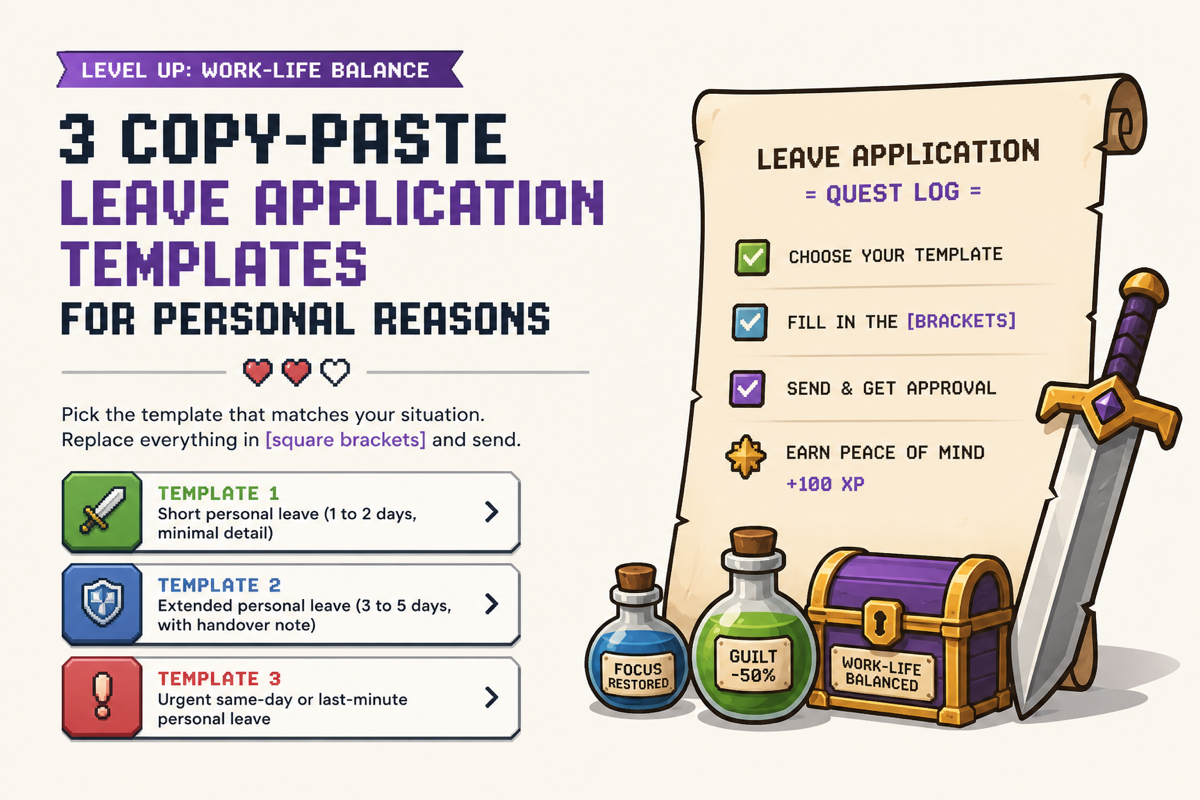
Pick the template that matches your situation. Replace everything in [square brackets] and send.
Template 1: Short personal leave (1 to 2 days, minimal detail)
Subject: Leave Request: [Your Name] | [Date] to [Date]
Dear [Manager's Name],
I am writing to request personal leave on [start date] and [end date] for personal commitments. I have ensured my current tasks are on track and have briefed [Colleague's Name] on anything requiring attention during my absence.
Please let me know if you need any further information to approve this request.
Best regards,
[Your Name]
[Designation]
Template 2: Extended personal leave (3 to 5 days, with handover note)
Subject: Leave Request: [Your Name] | [Start Date] to [End Date]
Dear [Manager's Name],
I am writing to request personal leave from [start date] to [end date], totalling [X] working days. The reason is a personal matter that requires my presence away from the office.
I have completed [specific task or deliverable] ahead of schedule and have coordinated with [Colleague's Name] to cover [specific responsibility] during my absence. I will be reachable via email for anything urgent.
Thank you for understanding. Please confirm receipt at your convenience.
Best regards,
[Your Name]
[Designation]
Template 3: Urgent same-day or last-minute personal leave
Subject: Urgent Leave Request: [Your Name] | [Today's Date]
Dear [Manager's Name],
I apologise for the short notice. An urgent personal situation has come up that requires my immediate attention today, [date].
I have updated [Colleague's Name] on my pending tasks and flagged anything time-sensitive. I will be available on email where possible and will provide a full handover update tomorrow.
Thank you for your understanding.
Best regards,
[Your Name]
[Designation]
Level Up tip: You just sorted your leave in five minutes. But the job market does not pause while you are offline. If you are a tech professional juggling job searching between work obligations, Elip is an AI job agent that runs 24/7 inside your messaging app, scanning over 16 million postings daily, filtering out ghost listings, and delivering only the roles that match your profile. You handled today's leave in under five minutes. Elip handles your job search with zero minutes of your time. Try Elip free — your AI job agent never takes a day off.
4 Mistakes That Get Leave Applications Delayed or Rejected
These four errors cause managers to ask follow-up questions or quietly push your request down the stack.
Mistake 1: Oversharing personal details (and what to say instead)
Your manager needs to know you will be unavailable, not the specifics of why.
- "I've been having severe digestive issues since last night" · Just Right: "I am unwell and need to rest"
- "My parents are fighting and I need to mediate" · Just Right: "I have a personal family matter to attend to"
One sentence with a general reason is always enough. Specific details invite follow-up questions you do not want to answer.
Mistake 2: Vague or missing dates
Writing "a few days" or "sometime next week" forces a reply asking for specifics. Always write exact calendar dates in the subject line and the first sentence.
Mistake 3: No mention of work handover
A manager's biggest hesitation is disruption to the team. Two sentences naming a colleague and confirming coverage removes that concern immediately.
Mistake 4: Apologetic tone that undermines the request
"I'm so sorry to ask" and "I hope this isn't too much trouble" signal that the request is unreasonable. It is not. Leave is a standard employment entitlement. State the request clearly and close professionally.
How Much Notice Should You Give for a Personal Leave Request?
For planned personal leave, most HR guidelines recommend giving at least three to five business days notice. For urgent or same-day leave, notify your manager as early as possible on the day and follow up with a written application before end of business.
Standard notice windows by leave type
- Planned personal leave · Recommended Notice: 5+ business days · Minimum Acceptable: 3 business days
- Short personal leave (1 to 2 days) · Recommended Notice: 3 business days · Minimum Acceptable: 1 business day
- Urgent or emergency leave · Recommended Notice: Same day (verbal + written) · Minimum Acceptable: Same day written follow-up
Give more notice for longer absences. The longer you are away, the more your team needs time to plan coverage.
What to do when you need urgent leave with zero notice
- Call or message your manager before the workday starts, not mid-morning.
- Send the written application within the same day, even if approval is already verbal.
- Name a specific colleague handling your responsibilities so there is no ambiguity.
FAQ
Can I write "personal reason" without explaining further in a leave application?
Yes. "Personal reason" or "personal commitments" is a complete and professional explanation in a leave application for office for personal reason. You are not required to disclose specifics. Include your dates, confirm your work is covered, and your application is complete.
What is the best subject line for a personal leave email?
Use this formula: Leave Request: [Your Name] | [Start Date] to [End Date]. It gives your manager the who, what, and when in one line, making it scannable and easy to action without opening the email.
How do I write a leave application if I need to leave urgently with no notice?
Use Template 3 above. Acknowledge the short notice in one sentence, state the date, name who is covering your tasks, and confirm you are reachable on email. Send it as early in the day as possible. Follow a verbal or chat notification with the written email within the same business day.
Should I mention a relieving letter format if I am resigning alongside taking leave?
Only if your leave is your final period before your last working day. In that case, request your leave in one email and reference the relieving letter format in a separate resignation-related communication. Mixing both in one email creates confusion about intent and can delay both requests.
What is the difference between a leave application and a relieving letter format?
A leave application is a request to take time off while remaining employed. A relieving letter format is a formal document issued by an employer confirming that an employee has been officially released from their duties after resignation. One is a request. The other is a company-issued record of separation. They serve entirely different purposes and should never be combined into the same document.
Conclusion
You have the format, the templates, and the four mistakes to avoid. The only thing left is to add your dates, name your colleague, and hit send. Your leave application is a five-minute task.
The harder problem is what happens in the background while you step away. Job markets move fast, and tech roles fill in hours, not days. If you are a developer or tech professional who cannot afford to miss a first-applicant window because you were offline for a day, that is the gap worth closing.
Your leave is sorted. Let Elip handle your job search while you are away. Try it free in your messaging app today.